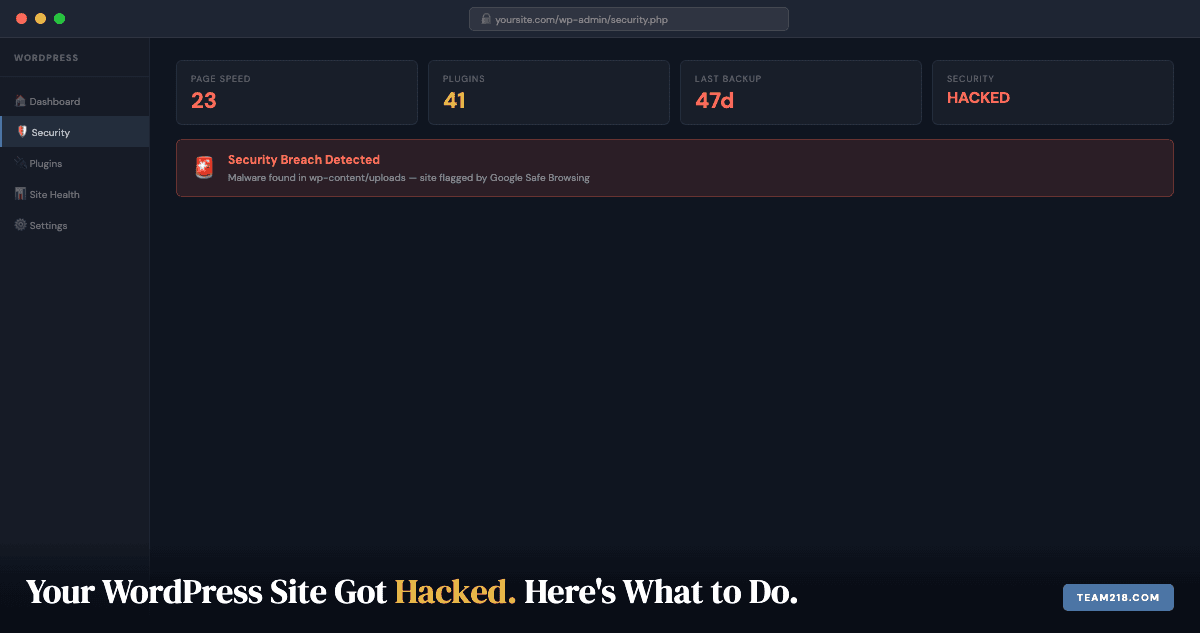
Google is showing a red warning on your site. Or your host just suspended the account. Or a customer texted to ask why your website sent them to a pharmacy. If your WordPress site has been hacked, this is the page to read before you touch anything.
It covers, in order: how to check whether you have actually been hacked, what to do in the first hour, how to clean the site, how to get Google’s warning removed, and what stops it happening again. Written for the person who owns the business, not the person who wrote the theme.
How to check if your WordPress site has been hacked
Not every broken site is a hacked site. A plugin update can take a site down, a hosting outage can look like an attack, and an expired SSL certificate throws a browser warning that scares people just as much. Run these checks before you decide.
- Search your business name in Google. A line reading “This site may be hacked” under your listing, or a full-page “Deceptive site ahead” warning when you click through, means Google has already found malware or spam content on the site.
- Open your site in a private browser window on your phone. Many infections only redirect visitors who arrive from Google on a mobile device, so the site looks fine to you at your desk. If a private window on a phone lands somewhere else, you are hacked.
- Check Google Search Console. Open the Security Issues report in the left sidebar. If Google has detected anything, it is listed there with the affected URLs. If you have never set up Search Console, do it now; it takes ten minutes and you will need it later to get the warning removed.
- Look at the Users list in WordPress. An administrator account you did not create is as clear a sign as you will get. Look for odd usernames, email addresses on domains you do not recognize, and accounts created recently.
- Search Google for
site:yourdomain.com. Pages you never wrote, often in another language or selling pharmaceuticals, handbags or casino bonuses, mean the attacker is using your domain’s reputation to rank spam. - Read your host’s email. Hosts suspend accounts for “malware” or “abusive resource usage” and the notice usually names the file or script they found.
- Try to log in. If your password stopped working and you did not change it, assume the account has been taken over.
One of these alone can have an innocent explanation. Two or more and you are dealing with a hack. If you want a second opinion before spending money, a free website audit will tell you what we see from the outside.
The first hour: what to do and what not to do
The instinct is to start deleting things. Do not. Deleting files before you understand what is there destroys the evidence of how the attacker got in, and if the entry point is not fixed they will be back within days. Do this instead, in this order.
- Take the site offline or put it in maintenance mode. Most hosts can do this from the control panel. An actively infected site is exposing your visitors and burning your Google reputation every minute it stays up.
- Change the WordPress admin password, and delete any administrator you did not create. Do the deletion first, then your own password, so the attacker’s account cannot change it back. Use a password manager to generate something long.
- Change the hosting account password and every FTP, SFTP and database password. If the attacker got in at hosting level, a WordPress password change on its own does nothing.
- Change the password on the email account tied to the site. Password resets go there. If that inbox is compromised, so is everything else.
- Do not restore a backup yet. Unless you know exactly when the infection began and have a clean backup from before that date, you will restore the infection along with everything else. Keep the backups; you may need them to compare files.
- Write down what you saw. Which URLs redirected, what the warning said, which files the host named. You or whoever cleans the site will need it.
If any of those steps is beyond what you can do, stop here and call someone. The repair page explains what a WordPress repair involves and what it costs; if you would rather talk, the number is 319-333-0815 and we will walk you through the first hour over the phone.
How WordPress sites actually get hacked
You were not targeted. Automated scripts probe every WordPress site on the internet, all day, looking for one of a short list of openings. Knowing which one applies to you matters, because the clean-up is not finished until that opening is closed.
Outdated plugins and themes. This is the overwhelming cause. Patchstack’s State of WordPress Security in 2025 report counted the new vulnerabilities disclosed in 2024: 96% were in plugins, 4% in themes, and seven in WordPress core. When a plugin vulnerability is published, bots start scanning for unpatched copies within hours. A site whose plugins have not been updated in six months is running known, documented holes.
Weak or reused passwords. Credential-stuffing bots try username and password pairs from other sites’ breaches against WordPress login pages constantly. A password you also used on a forum that was breached in 2019 is already on a list.
Nulled themes and plugins. “Nulled” software is a paid plugin or theme repackaged for free download. It almost always ships with a backdoor. If anyone who has ever worked on your site installed a free copy of a premium product, that is the first place to look.
Dormant accounts. The administrator account that belonged to a designer who left in 2022 is still an administrator account. Nobody is watching its password.
Shared hosting neighbours. On bargain shared hosting your files sit on a server with hundreds of other sites. A badly configured server lets a compromised neighbour reach your files. This is less common than it used to be, but it still happens.
Should you clean a hacked WordPress site yourself?
Be honest with yourself here, because a half-cleaned site is reinfected within days and you will have spent a weekend for nothing.
Doing it yourself is reasonable if
The site is simple, with a handful of plugins and a standard theme. You can connect over SFTP and know your way around the WordPress folder structure. You have a backup you are confident predates the infection. And you have a full day, because done properly this is not a two-hour job.
Call someone if
You do not know what SFTP is. The infection has been there for an unknown length of time. Google has already flagged the site and you need the warning gone. The site takes payments or bookings, so customer data is involved. Or the site is your main source of leads and every day offline costs you money.
We handle hacked WordPress site recovery for Iowa businesses and for anyone else who finds this page. Most repairs, hacks included, cost between $200 and $500 and are completed within 24 to 48 hours. We assess first and give you the cost before any work starts. Details are on the WordPress repair page.
How to remove malware from a WordPress site
If you are proceeding yourself, this is the process we follow. Skip a step and the site comes back infected.
Step 1: Scan the files
Install the free version of Wordfence and run a full scan. It compares every core, theme and plugin file against the known-good copy on wordpress.org and lists anything that differs. That list is your starting point, not your finish line: Wordfence cannot see malware in files it has no reference copy for.
Step 2: Check the database
Malware is routinely injected into the database rather than the files: into post content, widget text, or rows in the wp_options table. Look for options you do not recognize, and for anything containing long base64 strings or eval(. This needs phpMyAdmin or WP-CLI and some comfort reading raw SQL. If that is not you, this is the point to hand it over.
Step 3: Find the backdoors
A backdoor is a small file the attacker leaves behind so they can walk back in after you clean up. The usual hiding places are PHP files inside wp-content/uploads (an image folder should never contain PHP), extra files inside legitimate plugin folders, and randomly named files in the site root such as x7f3k.php. Delete every PHP file that has no business being where it is. Sort by modified date; files changed on the day of the infection are the ones to examine. If you have never done this, stop and call a developer, because one missed backdoor undoes everything else.
Step 4: Replace WordPress core
Download a fresh copy of WordPress from wordpress.org and replace every core file and folder except wp-content and wp-config.php. Then open wp-config.php and read it line by line. Attackers add code there because nobody looks.
Step 5: Reinstall every plugin and theme from the source
Delete the plugin folders and reinstall each plugin from wordpress.org or from the developer who sold it. Do the same for the theme. Never reuse a copy from the infected site, and this is the moment to drop any plugin you cannot name a reason for keeping.
Step 6: Rotate every secret
New passwords for every WordPress user, the database, the hosting account and SFTP. Then regenerate the security keys and salts in wp-config.php using the generator WordPress provides. That logs every session out, including the attacker’s.
Step 7: Scan again, and then once more a week later
A clean second scan is the minimum before you put the site back online. A clean scan a week later is how you know the backdoor hunt worked.
How to get Google’s “This site may be hacked” warning removed
The warning does not come down on its own after you clean the site. You have to ask.
- Confirm the site is clean and back online over HTTPS.
- In Google Search Console, open Security Issues. Each detected problem has a Request Review button.
- Describe what you found and what you did to fix it, in a few plain sentences. “Removed malicious files from wp-content/uploads, reinstalled all plugins, changed all passwords, enabled a firewall” is enough.
- Wait. Malware reviews usually clear within a few days. Spam-content reviews, where the attacker added pages to your site, can take longer because a person at Google reads them.
If the review fails, the message tells you which URLs still show a problem. That almost always means a backdoor was missed. Go back to step 3.
Already flagged and not sure where to start? Send us the warning or call 319-333-0815. We handle the clean-up and the Google reconsideration request together, and you know the cost before we begin.
The hardening checklist: what keeps them out
Cleaning a hacked site is the emergency. Hardening is what stops the next one. WordPress runs a large share of the web, which is exactly why it is the most-probed platform online. The bots are not after you specifically; they are rattling every doorknob, and they only need one that turns.
Update in the right order, every time
Skipped updates are how most sites get compromised (see the Patchstack figures above), and the order matters as much as the frequency:
- Plugins first. They are the attack vector.
- Themes second. Outdated templates expose front-end holes.
- WordPress core last. Core patches deep vulnerabilities once your extensions are current.
Updating core first can hide which extension broke something, so this sequence saves debugging time as well as risk.
Vet plugins and themes before installing
Stick to the official repository or the developer’s own store. A “premium” theme from a download site is the most reliable way to install malware on purpose. If a plugin has not been updated in 18 months, treat it as abandoned and replace it.
Fortify logins
- Passwords of 16 or more characters from a password manager
- Retire the username
admin, which is the first thing every bot tries - Two-factor authentication through an authenticator app rather than text message
- Limit login attempts and add a CAPTCHA. Wordfence does both; three failed attempts and the address is locked out, and credential-stuffing scripts never get enough tries to matter
Apply the principle of least privilege
Give every user only the access their job needs. Editors do not need to install plugins; designers do not need database access. Audit the Users list quarterly and remove former staff and contractors the day they leave.
Disable file editing inside WordPress
The built-in theme and plugin editor lets anyone with admin access run code from the dashboard. Turn it off with one line in wp-config.php:
define( 'DISALLOW_FILE_EDIT', true );If an attacker does get an admin login, they now need SFTP credentials to do real damage rather than a text box.
Put a firewall in front of WordPress
A web application firewall filters malicious requests before they reach WordPress at all. Wordfence runs one at the application level; hosts running LiteSpeed or Cloudflare can block at the server edge, which is better still. This is the difference between blocking an attack and cleaning up after one.
Choose hosting that is not the weak link
Look for isolated account containers, daily server-level backups kept off the server, free SSL and proactive malware scanning. If your host’s answer to “was anyone else on this server compromised?” is a shrug, that is your answer.
What about the spam and phishing emails?
A hacked site and a compromised inbox often arrive together, because the same password frequently unlocks both. Treat suspicious email as a security signal, not an annoyance.
Signs an email is not what it claims to be: a sender address one character off from the real company; urgency about account suspension or a failed payment; link text that does not match the address you see when you hover; unexpected attachments, especially .zip and .html files; and any request for a password that no legitimate company would make by email.
What to do: do not click, do not reply, and do not unsubscribe from mail you never subscribed to, since that only confirms your address is live. Mark it as spam and delete it. If a message appears to come from a service you use, open that service in your browser directly instead of following the link.
Why the sites we maintain do not get hacked
A clean site with the same vulnerabilities is a site waiting to be hacked again. Everything in the hardening list above is routine on a WordPress care plan: plugin, theme and core updates, daily malware scanning, login hardening, daily off-site backups so there is always a clean restore point, and uptime monitoring, because the site going down is often the first sign of an attack. Plans are $60 a month, and every site we build includes the first 12 months. Our sister post on what a care plan should include goes through each item.
The sites on our care plans do not get hacked. Not because they are invisible; WordPress sites are probed constantly. Because there is nothing left to exploit.
Frequently asked questions
How do I know if my WordPress site has been hacked?
Search your business name in Google and look for a “This site may be hacked” line, open the site in a private window on your phone to catch mobile-only redirects, check the Security Issues report in Google Search Console, and look for administrator accounts you did not create. Two or more of those signs together means you have been hacked.
My host suspended my account for malware. What do I do?
Contact their support, tell them you know about the malware and are cleaning it, and ask for temporary access to the files. Most hosts restore access once you commit to a clean-up, and some sell malware removal as an add-on. If they are unresponsive, moving to a better host can be part of the recovery.
Can I just restore from a backup and be done?
Only if you have a backup you know predates the infection and you also close the hole the attacker used. Restoring a clean backup without patching the entry point gets you hacked again, usually within days.
How long does it take to fix a hacked WordPress site?
A professional clean-up of a typical small business site, including the Google reconsideration request, is usually completed within 24 to 48 hours. Sites with deep database infections or years of skipped updates take longer. Doing it yourself for the first time, plan on a full day plus a follow-up scan a week later.
Will Google remove the warning after I clean the site?
Yes, but only after you submit a review request in Google Search Console under Security Issues and Google confirms the malware is gone. Malware reviews usually clear within a few days; spam-content reviews can take longer. It does not happen on its own.
How much does WordPress hack recovery cost?
Most repairs, hacked sites included, cost between $200 and $500 depending on how deep the infection goes and whether parts of the site need rebuilding. We assess the site first and give you the cost before any work starts.