A business spends $5,000 building a WordPress site. It launches well. Six months later, it’s still fast and looking good. Nobody budgets for year-two plugin conflicts when they’re excited about launch day. But most WordPress sites fail quietly, long before anyone expected them to.
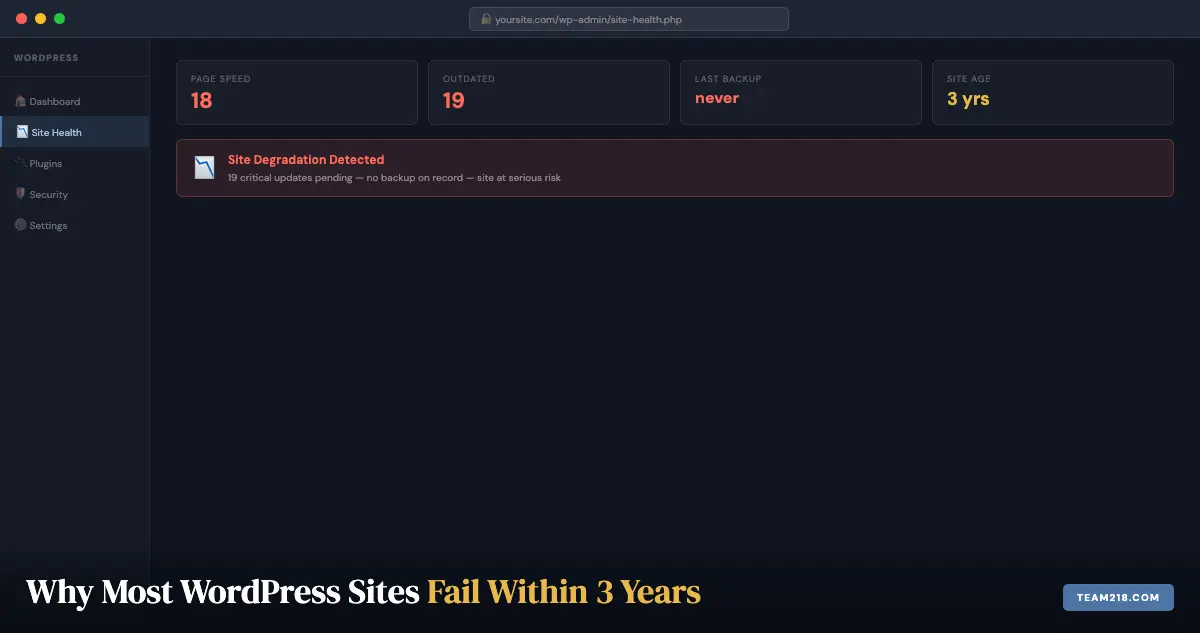
By year three, the site is slow, the mobile layout has drifted, three plugins have security vulnerabilities, there’s never been a backup successfully tested, and the original developer is unreachable. The business starts over.
This is not an unusual story. It’s the most common one. Here’s why it keeps happening, and what the sites that avoid it do differently.
The lifecycle of a neglected WordPress site
The decline is gradual enough that it’s easy to miss:
Year 1
The site is fresh, plugins are current (the developer just installed them), and performance is good. The business owner is busy and assumes things will stay this way on their own.
Year 2
Plugins have started accumulating update debt. A few are abandoned by their developers and no longer receive patches. Performance has drifted. One admin password hasn’t changed since launch.
Year 3
WordPress itself is a major version behind. Three plugins have known critical vulnerabilities. There’s a mobile layout conflict nobody has diagnosed. The site still “works,” but it’s brittle, slow, and visible to every automated scanner looking for targets.
Then something breaks, or gets hacked, or Google flags it. The cost of catching up is higher than the cost of staying current would have been.
Failure mode 1: plugin bloat and update debt
WordPress’s plugin ecosystem is its greatest strength and its most common liability. There are over 60,000 plugins in the official repository. Many of them are installed once and never touched again.
The problems compound: abandoned plugins don’t receive security patches. Redundant plugins slow the site and create conflict surface area. Outdated plugins have known vulnerabilities that are actively exploited. According to Sucuri’s 2023 Website Threat Research Report, outdated software accounted for the largest share of compromised WordPress sites, ahead of brute-force attacks, ahead of hosting failures. Plugin update debt is the primary attack surface.
The fix is not complicated: update plugins regularly, remove ones you don’t use, and don’t install new ones without a specific reason. The discipline is what’s hard to maintain without someone responsible for it.
Failure mode 2: wrong hosting for the site’s actual needs
Most small business WordPress sites start on shared hosting because it’s cheap. Some stay there forever, even after the site outgrows it.
Shared hosting puts your site on a server with hundreds of other sites. Resource limits are low. Security controls are minimal. When a neighboring site gets compromised, yours can be affected. When your site gets a traffic spike (you ran an ad, got press coverage, sent a newsletter) the host throttles it.
Managed WordPress hosting (WP Engine, Kinsta, SiteGround’s managed tier) is not luxury pricing. It’s infrastructure that matches the actual requirements of a WordPress site: server-level caching, automatic backups, WordPress-specific security, and support staff who understand WordPress specifically. The cost difference, typically $20-50/month over basic shared hosting, pays for itself in performance and availability.
We’ve migrated enough sites from shared to managed hosting to have an opinion: the difference is immediate and significant every time.
Failure mode 3: no backup strategy (or a backup strategy that was never tested)
Many WordPress sites have a backup plugin installed. Almost none of them have confirmed the backups actually restore.
A backup that fails silently is indistinguishable from a backup that works, until you need it. The backup isn’t the backup. The successful restore test is the backup. Without testing, you have a file that might be a backup.
The other common failure: backups stored on the same server as the site. If the server is compromised or the host loses data, those backups are gone along with everything else. Off-server storage (Amazon S3, Google Drive, Backblaze) is the minimum standard for a real backup strategy.
Sites we take over regularly have three years of daily backup files all stored in a subfolder of the WordPress installation. On the same server. Never tested. That’s not a backup strategy. That’s the appearance of one.
Failure mode 4: security ignored until it’s an emergency
WordPress security isn’t glamorous. It’s updates, strong passwords, limited admin accounts, login protection, and malware scanning. None of it feels urgent until something goes wrong.
The stakes matter here. A compromised WordPress site can expose customer data, send spam from your domain, redirect your visitors to malicious sites, and get your domain flagged by Google Safe Browsing, sometimes all at once. Once Google flags a site, the warning propagates to Chrome and other browsers within hours to a few days, and organic traffic can drop to near zero. Recovering from a Safe Browsing flag takes weeks even after the malware is removed.
The businesses that avoid this are the ones that treat security as ongoing maintenance rather than a one-time setup. Malware scanning runs daily. Logins are protected. Updates are current. That’s the whole checklist. It just has to actually happen.
Failure mode 5: built for the launch, not for the long term
This one is the builder’s responsibility as much as the client’s. A site built with 47 plugins because they were the easiest way to add features during development is a site that will be difficult to maintain. A site built on a premium theme that the original developer never documented is a site the next developer will have to reverse-engineer. A site with no staging environment has nowhere to safely test updates.
A well-built WordPress site is built to be maintained. That means a lean plugin stack where each plugin has a specific, non-redundant purpose. A well-documented build. A staging environment. Hosting that supports one-click staging and deployment. These aren’t nice-to-haves. They’re what separates sites that last from sites that become expensive problems.
When we build a site at Team 218, we’re building something we’ll be maintaining. That changes every decision we make about how it’s put together.
What the sites that last have in common
After building and maintaining WordPress sites since 2014, the pattern is consistent. The sites still running well at year five share these traits:
- Someone is responsible for maintenance, not “we’ll get to it,” but a specific person or service with a specific schedule
- Plugins are current and minimal: every plugin has a reason to exist and someone watching its update status
- Backups are off-server and tested, not assumed to be working
- Hosting matches the site’s needs: managed WordPress hosting, not shared hosting outgrown years ago
- Security is ongoing: daily scanning, current credentials, login protection
None of this is complicated. All of it requires consistency. A WordPress care plan exists to provide that consistency so the business owner doesn’t have to think about it.
If your site is heading toward year two or three without any of the above in place, it’s worth doing an audit now rather than waiting for a failure to force one. Reach out and we’ll tell you exactly where you stand.
Frequently asked questions
How do I know if my site has accumulated security vulnerabilities?
The fastest check: go to your WordPress dashboard and look at the Updates page (Dashboard and then Updates). If you see a list of plugin updates waiting, some of those are likely security patches. You can also run your URL through Sucuri’s free SiteCheck tool (sitecheck.sucuri.net) for a surface-level scan. Neither of these is exhaustive, but both will surface obvious problems in under two minutes.
Is it worth fixing a degraded site, or better to rebuild?
Usually worth fixing unless the site is more than 5 years old, was built on a framework that no longer receives updates, or has so much plugin debt that cleaning it up would take longer than a fresh build. We can assess this in an initial call. Most sites that feel “broken” are actually maintainable. They just need someone to do the maintenance.
How much does it cost to get a neglected WordPress site back on track?
Depends on the state of it. A site with update debt but no active infection is typically $200-$400 to clean up, bring current, and migrate to proper hosting if needed. A site with active malware or significant plugin conflicts runs higher. We quote after an audit.
Does any of this apply to sites built on Squarespace or Wix?
No. The maintenance burden described here is specific to self-hosted WordPress. Hosted platforms like Squarespace handle updates and security at the platform level. The trade-off is less flexibility. For most small business sites, that trade-off is reasonable. The failure modes described here are a real cost of the WordPress flexibility you’re getting in return.
More from this series
When your site feels broken
Why is my WordPress site slow? A plain-English guide for business owners
Security emergency
Your WordPress site got hacked. Here's exactly what to do.
Understand your options
WordPress care plans explained: what's actually included (and what isn't)