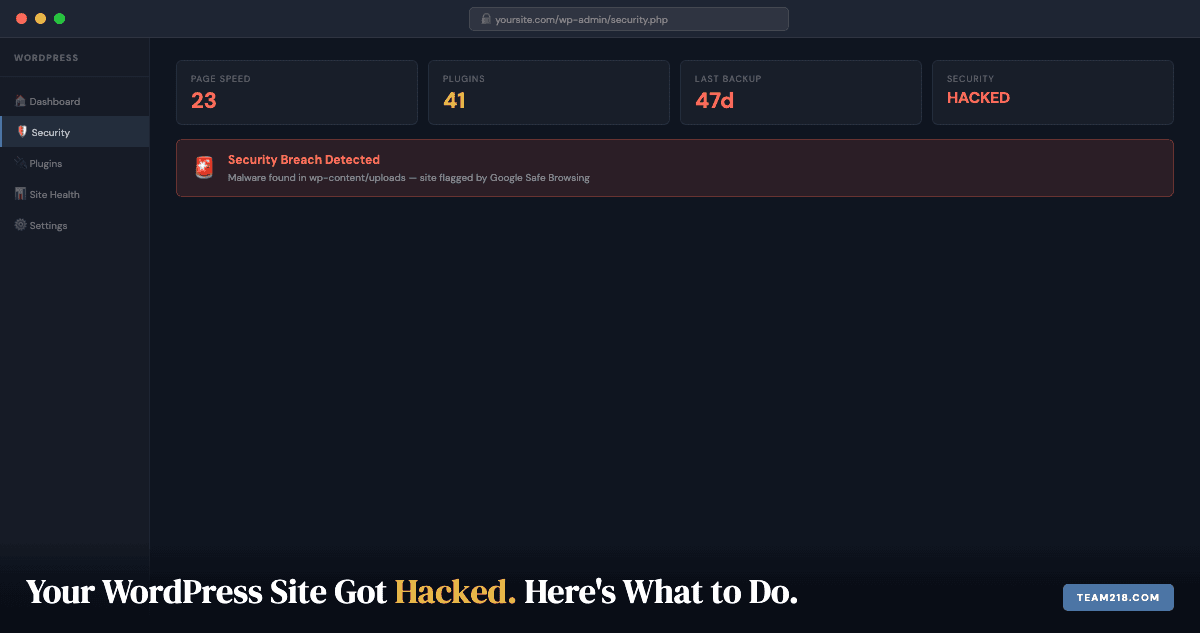
Your site is showing a Google warning. Or your host suspended the account. Or a client texted you asking why your website is redirecting to a pharmacy. If your WordPress site was hacked, you’re in the right place.
Finding out is step one. Here’s the rest of it.
How to confirm you’ve actually been hacked
Not every site problem is a hack. But these are signs that strongly suggest one:
- Google Search shows a “This site may be hacked” or “Deceptive site ahead” warning when someone searches for your business or visits your URL
- Visitors report being redirected to unrelated sites, often pharmaceutical spam or fake login pages
- Your hosting company suspended your account for “malware” or “abusive resource use”
- You see content on your site you didn’t add: strange links, new pages, foreign-language text
- Google Search Console shows a “Security Issues” alert in the sidebar
- Your site admin password suddenly doesn’t work, or there are admin accounts you didn’t create
One of these alone might be a different problem. Two or more means you’re dealing with a hack.
The first 10 minutes: what to do and what not to do
The instinct is to start deleting things. Don’t. Deleting files without understanding what’s there can remove evidence you need to understand how the attacker got in. If you don’t fix the entry point, they’ll be back within days.
Do this instead:
- Put your site in maintenance mode if your host allows it, or ask your host to take it offline temporarily. Keeping an actively infected site live exposes your visitors.
- Change your WordPress admin password immediately, and any other admin accounts. Use a password manager to generate something strong. While you’re in the users list, look for any admin accounts you don’t recognize and delete them before changing your own password.
- Change your hosting account password and FTP/SFTP credentials. If the attacker has hosting-level access, a WordPress password change alone won’t help.
- Do not restore from backup yet unless you know when the infection occurred and have a clean backup from before that date. Restoring from an infected backup just puts you back at square one.
How WordPress sites get hacked
Understanding the how matters for prevention. According to Sucuri’s 2023 Website Threat Research Report, outdated software (plugins, themes, and WordPress core) was the leading cause of compromised websites, accounting for the majority of cases they investigated. Here are the most common attack vectors:
Outdated plugins and themes: This is the most common attack vector by a significant margin. When a plugin vulnerability is discovered and a patch is released, attackers immediately start scanning for sites still running the old version. If your plugins haven’t been updated in months, you have known vulnerabilities.
Weak or reused passwords: Bots run credential-stuffing attacks against WordPress login pages constantly. If your password was reused from another site that was breached, your credentials may already be in a list somewhere.
Nulled themes and plugins: Nulled software is pirated premium software distributed for free. It almost always contains backdoors. If anyone on your team ever installed a “free” version of a paid plugin, that’s a likely entry point.
Compromised hosting environments: Shared hosting puts your site on a server with other sites. A compromised neighbor can sometimes reach your files. Managed WordPress hosting dramatically reduces this risk.
Cleaning the site yourself vs. calling someone
Be realistic here. A surface-level infection (one malicious file dropped in a plugin folder) can sometimes be handled manually by a developer comfortable with WordPress file structures. A deep infection with backdoors embedded in the database, core files, and multiple plugins is a different job.
DIY is reasonable if:
- The site is simple (few plugins, standard theme)
- You have SFTP access and can navigate server file structures
- You have a clean backup to compare against
- You have time, because this takes hours when done right
Call someone if:
- You don’t know what SFTP is
- The infection has been there for an unknown length of time
- Google has already flagged the site and you need the warning removed
- Your e-commerce or booking functionality is involved (customer data at stake)
We handle WordPress hacked site recovery for Iowa businesses. Most recoveries take 24-48 hours. Contact us and we’ll diagnose it the same day.
How to actually remove the malware
If you’re proceeding yourself, here’s the process:
Step 1: Run a file scan. Install the free version of Wordfence Security and run a full scan. It compares every WordPress core file, theme file, and plugin file against known-good versions and flags anything that doesn’t match. This gives you a list of suspicious files.
Step 2: Check the database. Malware is often injected into the database: post content, widget text, or option values. Look in wp_options for entries you don’t recognize, especially anything with base64-encoded content or eval() calls. This step requires database access (phpMyAdmin or WP-CLI) and comfort with reading raw SQL data. If that’s not you, this is where you call someone.
Step 3: Find and remove backdoors. Backdoors are files attackers leave behind that let them re-enter even after you’ve cleaned the obvious malware. Common locations: wp-content/uploads (PHP files in an image folder), wp-content/plugins (extra files in existing plugin folders), and the root directory (look for files with random names like `x7f3k.php`). Remove any PHP file that shouldn’t be there. This step requires SFTP access and the ability to read file structures on a server. If you’ve never done this, stop here and call a developer. A missed backdoor means the site gets reinfected within days.
Step 4: Reinstall core files. Download a fresh copy of WordPress from wordpress.org and replace the core files (everything except wp-content and wp-config.php). This ensures no core file was modified.
Step 5: Reinstall plugins from official sources. Delete all plugins and reinstall them fresh from wordpress.org or from the original developer. Do not reuse plugin files from the infected installation.
Step 6: Submit a reconsideration request to Google. If Google flagged your site, go to Google Search Console and navigate to Security Issues and use the “Request Review” function. Google typically reviews within 24-72 hours after the malware is gone.
The hardening checklist: what actually keeps them out
Cleaning a hacked site is the emergency. Hardening is the part that stops the next one. WordPress powers roughly 40% of the web, and that popularity is exactly what makes it the most-probed platform online. Attackers are not targeting you specifically; automated bots are rattling every doorknob they can find, and they only need one opening.
Update in the correct order, every time
Skipped updates are the leading cause of compromised sites, but the order matters as much as the frequency:
- Plugins first. They are the number one attack vector.
- Themes second. Outdated templates expose front-end holes.
- WordPress core last. Core patches deep vulnerabilities once your extensions are already current.
Updating core first can mask which extension actually broke something, which is why this sequence saves debugging time as well as risk.
Vet plugins and themes before installing
Stick to the official repository or a reputable marketplace. A “premium” theme from a random download site is one of the most reliable ways to install malware voluntarily. If a plugin has not been updated in 18 months, treat it as abandoned and find a maintained alternative.
Fortify logins
- Passwords of 12 or more characters mixing case, numbers, and symbols
- Retire the default
adminusername, which is the first thing every bot tries - Enable two-factor authentication using an authenticator app rather than SMS
- Store credentials in a password manager
Throttle login attempts and add CAPTCHA
Security plugins such as Wordfence let you limit login attempts to three tries. Paired with reCAPTCHA, automated credential-stuffing scripts stop being a threat entirely, because they never get enough attempts to matter.
Apply the principle of least privilege
Give every user only the access their job requires. Editors do not need to install plugins; designers do not need database access. Audit user roles quarterly and revoke access for former staff and contractors immediately. A dormant admin account belonging to someone who left two years ago is a live vulnerability.
Disable file editing inside WordPress
The built-in theme and plugin editor lets anyone with admin access execute code directly from the dashboard. Turn it off by adding one line to wp-config.php:
define( 'DISALLOW_FILE_EDIT', true );If an attacker does get in, they now need SFTP credentials to do real damage rather than simply typing into a text box.
Deploy a web application firewall
A WAF filters malicious traffic before it reaches WordPress at all. This is the difference between blocking an attack and cleaning up after one.
Choose hosting that is not the weak link
Bargain hosting can put your site on a server shared with hundreds of strangers, inheriting every one of their risks. Look for isolated account containers, daily server-level backups, free SSL, and proactive malware scanning.
What about the spam and phishing emails?
A hacked site and a compromised inbox often arrive together, because the same credentials frequently unlock both. Treat suspicious email as a security signal rather than an annoyance.
Signs an email is not what it claims to be:
- A sender address that almost matches a real company, off by one character
- Urgency about account suspension or payment failure, designed to bypass judgment
- Links whose visible text does not match their actual destination when you hover
- Unexpected attachments, particularly
.zipand.htmlfiles - Requests for credentials that no legitimate company would ever make by email
What to do: do not click, do not reply, and do not unsubscribe from mail you never subscribed to, since that only confirms your address is live. Mark it as spam and delete it. If a message appears to come from a service you actually use, open that service directly in your browser rather than following the link.
A clean site with the same vulnerabilities is just a site waiting to be hacked again. The things that prevent recurrence are exactly what a WordPress care plan covers:
- Weekly plugin, theme, and core updates: the primary attack vector, closed
- Daily malware scanning: infections caught in hours, not months
- Login hardening: rate limiting, two-factor authentication, non-standard login URL
- Daily backups stored off-server: so a clean restore point is always available
- Uptime monitoring: alerts if the site goes down, which is often the first sign of an active attack
The sites we maintain on care plans don’t get hacked. Not because they’re invisible. WordPress sites get probed constantly. Because there’s nothing to exploit.
Frequently asked questions
My host suspended my account for malware. What do I do?
Most hosts will restore access once you acknowledge the issue and commit to cleaning it. Contact their support, explain you’re aware of the malware and working to remove it, and ask for temporary access to clean the files. Some hosts offer malware removal as a paid add-on. If they’re unresponsive, it may be time to migrate to a better host as part of the recovery.
Can I just restore from backup and be done?
Only if you have a confirmed clean backup from before the infection occurred AND you fix whatever vulnerability allowed the hack in the first place. Restoring a clean backup without patching the entry point means you’ll be hacked again, often within days.
Will Google remove the warning after I clean the site?
Yes, once you submit a reconsideration request through Google Search Console’s Security Issues panel and Google confirms the malware is gone. Response time is typically 24-72 hours. The warning comes down, but only after the request is submitted. It does not happen automatically.
How much does WordPress hack recovery typically cost?
We charge $200-$500 for most recoveries depending on the complexity of the infection and whether the site needs partial rebuilding. Sites with deep database infections or years of deferred maintenance take longer and cost more. We quote after an initial diagnosis.
More from this series
When your site feels broken
Why is my WordPress site slow? A plain-English guide for business owners
Security emergency
Your WordPress site got hacked. Here's exactly what to do.
Understand your options
WordPress care plans explained: what's actually included (and what isn't)
The pattern
Why most WordPress sites fail within 3 years (and what the ones that don't have in common)