Shopping for a WordPress care plan feels a lot like buying insurance. You’re comparing things you hope you never need, using terms you’re not sure mean what you think they mean, from companies whose prices range from $15 a month to $300 a month with no obvious explanation for the difference.
I’m going to try to fix that. This is a plain-English breakdown of what a WordPress care plan is, what it should include, what most discount plans skip, how to check the plan you already pay for, and what we actually do for the businesses on ours.
Why “WordPress maintenance” is such a vague term
Ask five WordPress agencies what maintenance means and you’ll get five different answers. Some mean “we update plugins once a month.” Others mean “we have a dashboard that shows your site is up.” Others mean a real person watching your site, testing updates before applying them, and calling you when something looks wrong.
All of them are sold under the same label. This makes comparison shopping genuinely difficult. The $15 plan and the $150 plan can both claim to include “updates and monitoring” while covering completely different things.
The way to cut through it: ask exactly what happens when something goes wrong. That’s where most cheap plans reveal themselves.
What should a WordPress care plan include? The non-negotiables
These are the minimum. A plan that doesn’t cover all of these is not a maintenance plan. It’s a dashboard subscription.
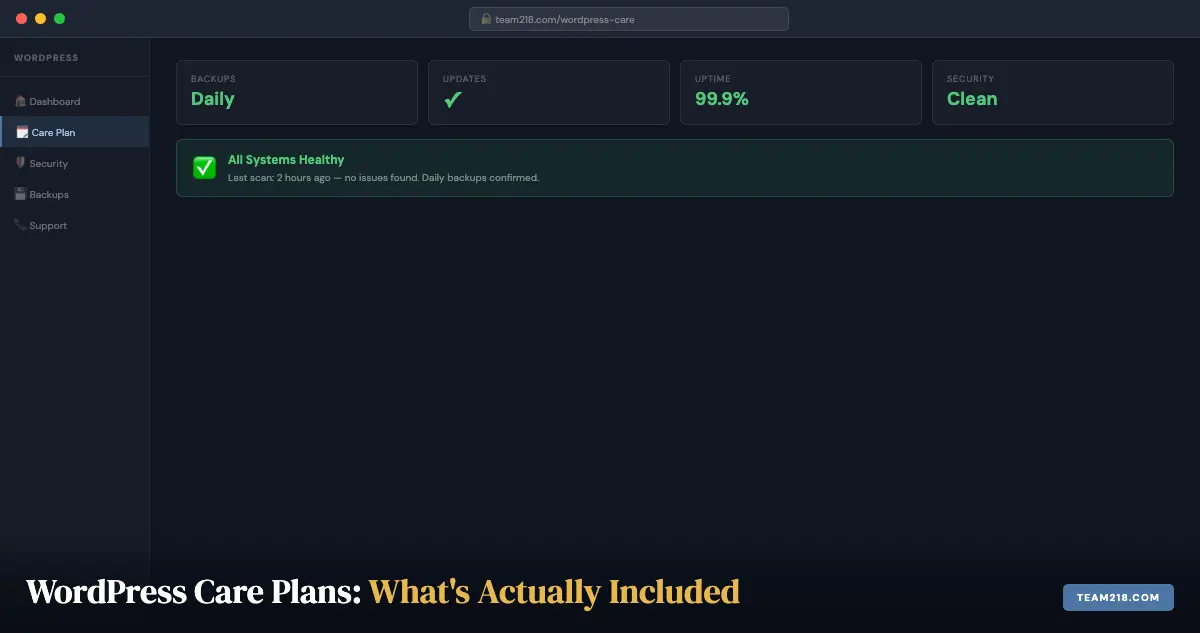
Daily backups with off-server storage
Backups stored on the same server as your site are not backups. If the server is compromised, the backups go with it. Backups need to be stored separately, on Amazon S3, Google Drive, Dropbox, or a similar off-server location, and they need to be recent enough to matter. Daily is the minimum for most business sites. Weekly is not acceptable.
Equally important: backups should be tested periodically to confirm they actually restore. A backup file that can’t be restored isn’t a safety net.
Plugin, theme, and core updates
This is the most important maintenance task and the one most often done badly. WordPress core, themes, and plugins should be updated regularly, not “when we get to it.” Outdated plugins are where most WordPress break-ins start. Patchstack’s State of WordPress Security in 2025 report counted 96% of the new WordPress vulnerabilities disclosed in 2024 in plugins, 4% in themes, and only seven in WordPress core itself. The vulnerability exists; attackers scan for it.
What separates good maintenance from checkbox maintenance here is testing. Major version updates (going from WooCommerce 8 to WooCommerce 9, for example) can break things. A good care plan applies major updates in a staging environment first and tests the site before pushing to production.
Uptime monitoring
Your site should be monitored for downtime every few minutes. When it goes down, someone should know immediately, not when you happen to check it or when a client calls you. Uptime monitoring with alerting is a basic requirement. Tools like UptimeRobot or Better Stack ping your site every few minutes and send an alert the moment it stops responding.
Security scanning
Malware doesn’t always take a site down visibly. Often it runs quietly, redirecting specific visitors, harvesting form data, or using your server to send spam, while the site looks normal to you. Daily malware scanning catches infections in hours rather than weeks. Without scanning, you may not know your site is infected until Google flags it.
Is a website care plan different from a WordPress care plan?
Not really. “Website care plan” and “website maintenance plan” are the generic names; “WordPress care plan” just says which platform the work is for. On a hosted builder like Wix or Squarespace the platform applies its own updates, so a care plan there is mostly content help and monitoring. WordPress is different because you own the software: core, theme, and every plugin are yours to keep current, back up, and secure. That is why a WordPress care plan has more in it, and why skipping one costs more.
If you are comparing quotes, ignore the label and compare the list of tasks. The four non-negotiables above apply to any WordPress site, whether the plan is called care, maintenance, management, or support.
Management and maintenance are not the same thing
These two words get used interchangeably in sales copy, and the difference is where most disappointment with care plans begins.
- Maintenance is narrow. Run the updates, take the backups. That is the whole scope.
- Management is broader. Proactive monitoring, fast fixes when something breaks, content help, and ongoing guidance about what to do next.
The distinction shows up as fewer emergencies, faster recovery when one happens, and fewer moments of discovering your site has been down since Tuesday. If a quote says “maintenance,” ask specifically what happens when something breaks at 4pm on a Friday.
The update checklist we actually follow
Most sites break during updates, not between them. This is the sequence that prevents it.
Back up before touching anything
Automated backups stored off-site, not on the same server as the site. A backup living on the machine that just failed is not a backup. We use UpdraftPlus with Dropbox storage for the scheduled copies, and we test restores rather than assuming they work.
Check compatibility first
Review plugin and theme changelogs for known conflicts, run the WordPress Site Health tool, and confirm PHP and MySQL versions meet current requirements. Two minutes here prevents most surprises.
Update in the correct order
Plugins first, themes second, core last. Beyond reducing risk, this order isolates the cause when something does break, because you changed one layer at a time.
Test in staging when the risk is real
Clone the site, apply updates there, verify functionality, then push. We clone with Duplicator Pro, the same tool behind the migrations Duplicator wrote up in their case study on our work. For an ecommerce site or a donation page, this step is not optional. For a five-page brochure site, it is proportionate to skip it.
Verify after updating
Check load times, then test the things that make you money: contact forms, checkout, booking flows, donation processing. Sites usually break silently in exactly these places.
Keep a rollback plan
A recent backup ready to restore, and a documented process for reverting quickly. Knowing how to undo an update is what turns a crisis into an inconvenience.
Run it on a schedule
- Weekly: apply updates, review site health
- Monthly: optimize the database, scan for broken links
- Quarterly: audit plugins and themes for bloat and abandonment
How to audit the care plan you already have
If you are already paying someone, you don’t have to take their word for what the plan covers. Six requests, all reasonable, will tell you in a week whether you are getting maintenance or a dashboard subscription.
- Ask for the date of the last backup and the date of the last tested restore. If they can give you the first but not the second, nobody has ever checked that the backups work.
- Ask for the update log for the last 90 days. A real plan has one: what was updated, when, and whether anything was held back and why. “We keep everything current” is not a log.
- Ask who receives the downtime alert, and what the response was the last time one fired. If there is no answer to the second half, there is no monitoring, only a status page.
- Ask what the last security scan found. Even a clean site produces a dated report. No report usually means no scan.
- Ask for last month’s report. If you have never received one, ask why not. The work is either not happening or not being recorded, and you can’t tell which.
- Confirm who owns your domain, hosting, and licenses. You should be the registered owner of the domain and the hosting account, with the provider as a user. Anything else is a problem to fix before you need to leave.
Two red flags that show up in these answers again and again: automatic updates with no testing and no rollback, and backups that live only on the hosting account. Either one means a bad update or a compromised account takes the site and the safety net down together.
If you would rather have a second pair of eyes on the answers, our free website audit looks at the backup, update, and security state of any WordPress site, whoever is maintaining it.
DIY or managed: an honest comparison
Not every site needs a care plan. Here is where each approach genuinely fits:
- Simple brochure site, few plugins. DIY is entirely feasible if you are comfortable and consistent. A managed plan is largely peace of mind.
- Ecommerce, bookings, or memberships. DIY is risky, because plugin conflicts and downtime cost revenue directly. Staging and priority fixes earn their cost here.
- Frequent content changes. DIY becomes a time sink and best practices are the first thing to slip.
- Compliance or board reporting. Manual logs work only if someone remembers to keep them. A monthly report with verifiable change history does not depend on memory.
What most cheap WordPress maintenance plans don’t include
Here’s where the $15-per-month plans typically cut corners:
Testing updates before applying them
Applying every update automatically without testing is faster and cheaper to operate. It’s also how sites break. If a plugin update conflicts with your theme and nobody tests it, visitors see a broken page. Most discount plans apply updates automatically and reactively fix breakage, which means your site may be broken for hours or days before anyone notices.
Malware removal when something goes wrong
Many basic plans include malware scanning but charge extra (often significantly) for actual cleanup if something is found. Check whether malware removal is included or quoted separately. A plan that alerts you to malware but bills you to remove it has a different value proposition than one that handles it as part of the service.
A real person to contact
This one matters more than most people expect until something goes wrong. When your site is down at 8am before a big presentation, you want to call or text someone who knows your site. Not submit a ticket to a support queue for a service handling 10,000 clients.
Small agency care plans usually include direct access to the people maintaining your site. Big discount plans usually don’t.
What Team 218’s care plan actually includes
I’ll be direct here. Our WordPress care plan is one flat fee, $60 a month billed annually ($720 a year), and it covers:
- WordPress core updates, applied after compatibility testing
- Plugin and theme updates, tested for conflicts before they go live, with major updates tested in staging
- Daily off-site backups, with a restore to a clean state within hours if anything goes wrong
- Security monitoring for malware, unauthorized access attempts, and known vulnerabilities, with cleanup included if anything is found
- Uptime monitoring with immediate alerts
- Performance monitoring, so a site that is slowing down gets caught before customers notice
- Minor content changes: a new phone number, new hours, an updated photo, typically handled within 24 hours at no extra charge
- Monthly reporting in plain English: what we did, uptime and performance numbers, and anything we caught and fixed
And when something is wrong, you call or text Kim or Chuck. We don’t charge extra for malware removal on care plan clients. If your site is hacked while it’s on our watch, we fix it. That’s what “care” means.
The 12-months-free-with-every-build model
Every site we build comes with 12 months of care at no additional cost. We do this because the maintenance period is when most of the learning about a site happens: what it needs, how it performs, what the client calls about. It’s also when sites are most vulnerable: brand new, not yet indexed, plugins not yet settled in.
After 12 months, care continues at $60 a month. That’s our only plan. We don’t have a tiered structure because we don’t think the things in the tier above yours should be optional.
Questions to ask any WordPress care provider before signing up
Before committing to any plan, ask these directly:
- Where are backups stored: on the same server as my site, or off-server? How often are they taken, and do you test restores or only schedule them?
- What is the update policy, and when do you use staging? Do you test major plugin updates before applying them?
- Is uptime and security monitoring included, with alerting to a person?
- Is malware removal included, or is it an additional cost?
- Who do I contact when something is wrong: a ticket system or a direct person?
- Is the response time for a site-down situation defined in writing?
- Do I get a monthly report of changes, incidents, and recommendations?
- Who owns the access and licenses if we part ways?
That last one matters more than it sounds. Ownership of your domain, hosting, and licenses should never be in question, and a provider who hesitates on it is telling you something. The answers to all eight tell you what you’re actually buying.
Frequently asked questions
What does a WordPress care plan cost?
Market prices run from about $15 a month to $300 a month, and the spread reflects how much is actually included. Ours is $60 a month, billed annually at $720, and every site we build includes the first 12 months at no charge. The useful comparison is not the price but the task list behind it.
Do I need a care plan if my site doesn’t change often?
Yes. Maintenance need isn’t driven by how often your content changes. It’s driven by how often WordPress, your plugins, and the threat landscape change. A static site with outdated plugins is just as vulnerable as a frequently updated one. The risk doesn’t pause because you’re not posting.
How do I audit the WordPress care plan I already have?
Ask your provider for six things: the date of the last backup and last tested restore, the update log for the last 90 days, who receives downtime alerts and what happened at the last one, the latest security scan report, last month’s report, and confirmation that you own the domain, hosting, and licenses. The full checklist is in the audit section above.
What happens if I cancel a care plan?
Nothing immediate. Your site keeps running. But without ongoing updates and monitoring, it will gradually accumulate security risk and performance debt. Most clients who cancel and then come back do so after something breaks. We’re happy to restart a plan at any time.
Can I do WordPress maintenance myself?
Some of it. Plugin updates, basic backups via your hosting dashboard, and uptime monitoring via free tools are all manageable for a non-developer. The parts that require judgment, knowing which major updates to test first, recognizing when a plugin conflict caused a breakage, or reading a malware scan report, are where most non-developers get stuck.
Is your care plan right for sites you didn’t build?
We take on care plan clients for sites we didn’t build, but we always do a site audit first. We need to understand what’s there before we commit to maintaining it. Some sites have technical debt that would make ongoing maintenance difficult to price at our standard rate, and we tell you what needs correcting before the clock starts.
If you’re thinking about a new site altogether, or your current site has accumulated enough problems that maintenance alone won’t solve them, take a look at our WordPress services for Iowa businesses. If it is already broken, start with WordPress repair instead.
More from this series
When your site feels broken
Why is my WordPress site slow? A plain-English guide for business owners
Security emergency
Your WordPress site got hacked. Here's exactly what to do.
The pattern
Why most WordPress sites fail within 3 years (and what the ones that don't have in common)